About Things 3
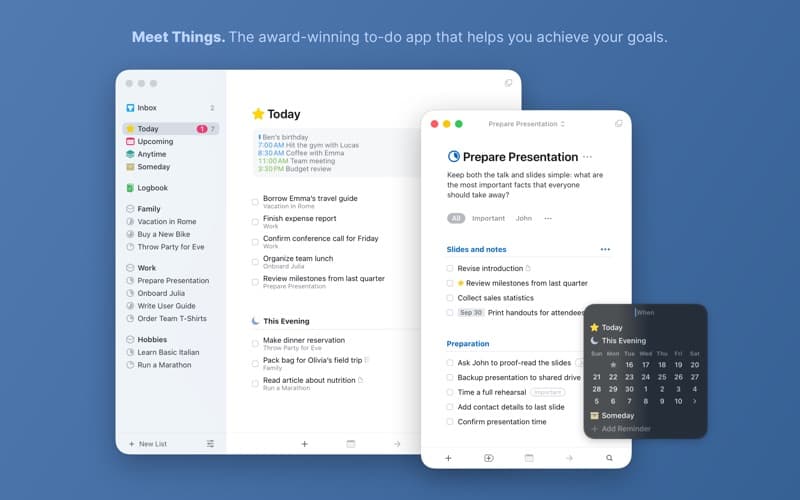
Things is a to-do app that helps you plan your day, manage projects, and make steady progress toward your goals. Its calm, focused design keeps your tasks organized without ever getting in the way.
Features
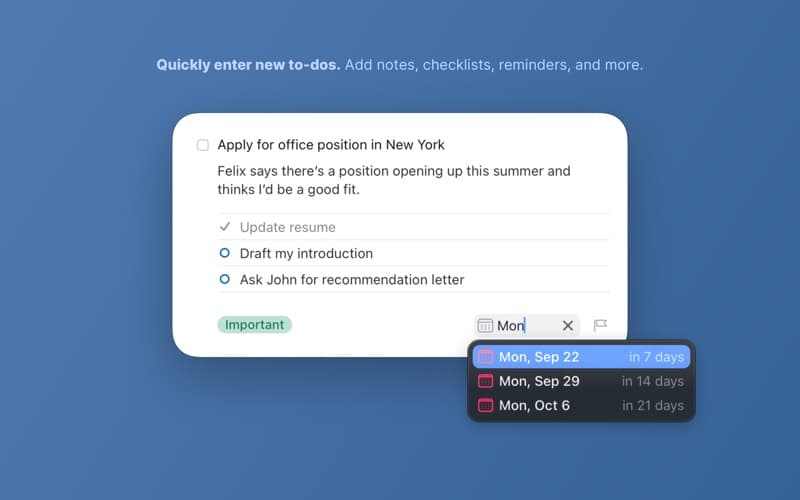
- Natural-language date entry
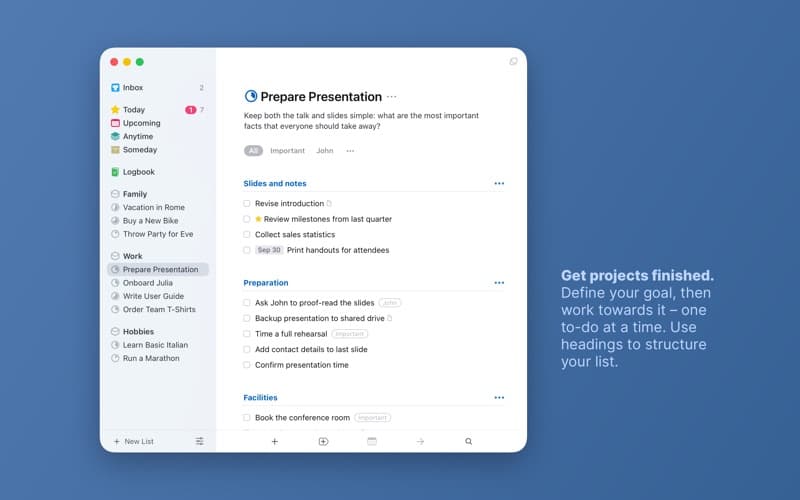
- Projects, areas, and headings
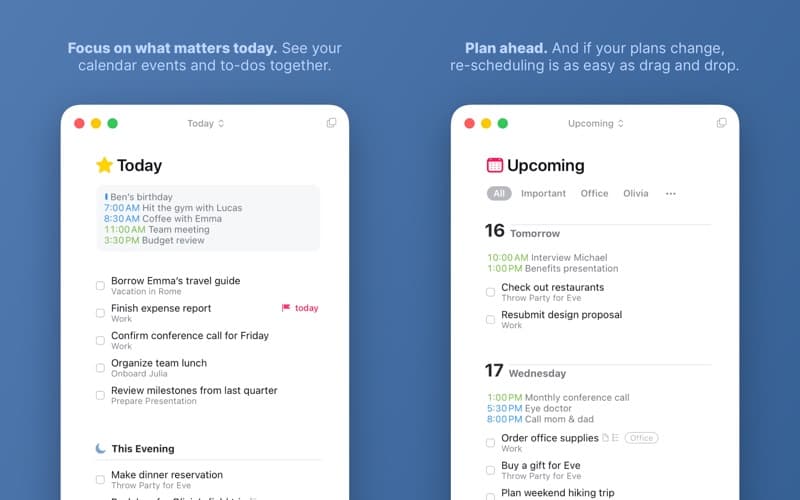
- Today & Upcoming planning views
- Calendar integration
- System-wide quick entry
Pros
- +Beautiful, focused design
- +Fast keyboard workflow
- +Reliable Things Cloud sync
Cons
- −Sold separately per platform
- −No collaboration or sharing
Information
- Price
- $49.99
- Category
- Productivity
- Version
- 3.22.12
- Size
- 21.9 MB
- Requires
- macOS 10.15.0+
- Released
- May 2017
- Languages
- English, French, German, Italian +4
- Developer
- Cultured Code
What's new
- Version 3.22.12Jul 2026
• Improved stability and bug fixes. THINGS 3.22 Things is ready for macOS 26 Tahoe, with a new app icon, an entirely refreshed interface, control buttons, support for new widget styles, and more. FRESH LOOK & FEEL • Things’ interface has been completely refreshed in every corner. You’ll notice a touch of glass in the sidebar that lets a hint of color shine through; increased rounding of corners for windows, dialogs, and to-dos. • Things’ icon has been refined and realigned to sit beautifully within macOS 26. It’s familiar at a glance – and unmistakably Things. • Icon & widget styles: Things’ app icon and widgets now support styles on Mac. To change your style, go to System Settings > Appearance and choose from Dark, Tinted, or Clear. QUICK CONTROLS Things’ handy control buttons are now available on Mac. Open Control Center from the menu bar and click Edit Controls. Things offers controls for New To-Do and List (you choose a list). You can place them in Control Center, or directly in your menu bar for one-click access. AND MORE • Spotlight can now create to-dos. After you’ve invoked Spotlight (⌘ Space), type “Create To-Do”, press Return, then enter your title. Your new to-do is created in the Inbox – even if Things isn’t running. • Things’ Quick Entry feature now supports adding links from the new Comet browser. We hope you enjoy using Things on macOS 26 Tahoe!
Frequently asked questions
Is Things 3 a subscription?
No — it's a one-time purchase, sold separately for Mac, iPhone, and iPad.
Does it sync across devices?
Yes, over the free Things Cloud service.
Reviews
No reviews yet. Be the first to review Things 3.